This is the next post in our BPMN series. In this post, I'll delve into the details of activities used in BPMN diagrams. In BPMN, activities are typically...
This is the next post in our BPMN series. In this post, I'll delve into the details of activities used in BPMN diagrams.
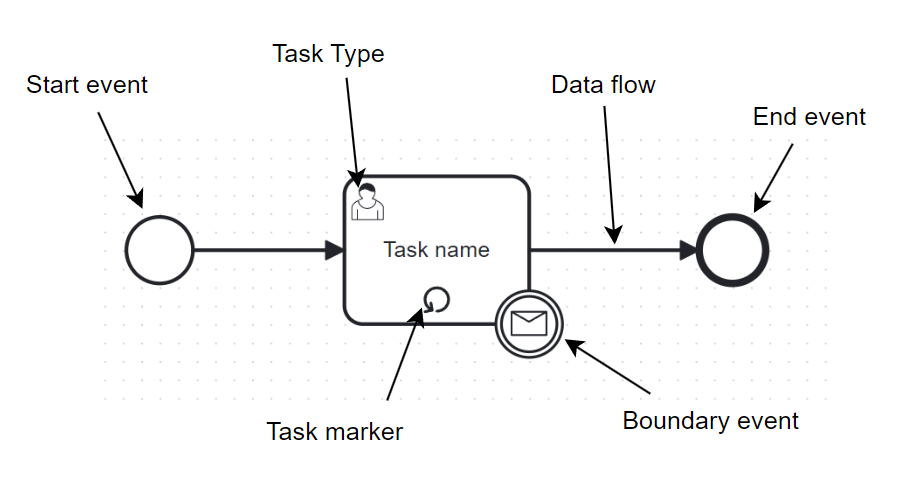
In BPMN, activities are typically represented by rectangles, which include the task name, task marker, task type, boundary events, and data flow:
1. Task marker
Task markers are used to annotate or provide additional information about activities. They are usually placed at the bottom center of the task or inside events and gateways.
Here are some common task markers:
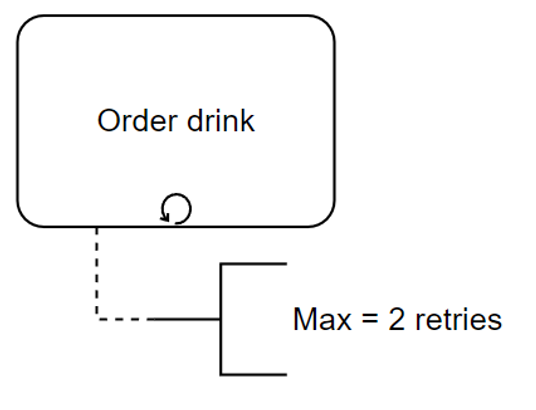
- Loop:
- Describes a task that can be performed multiple times until an end condition is met.
- Example:
- Multi-Instance
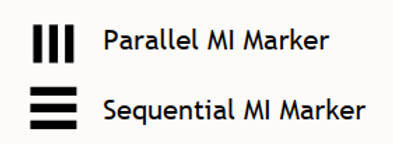
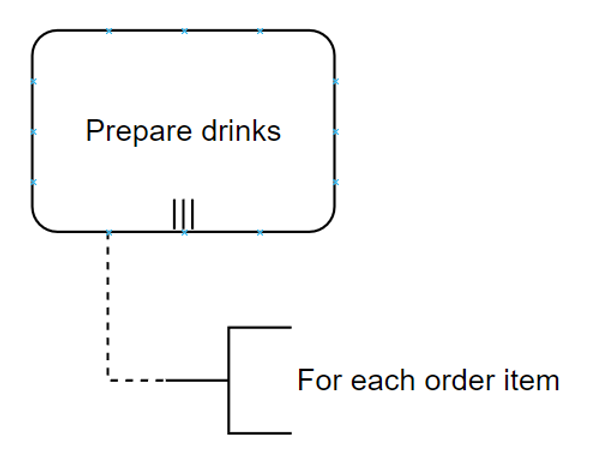
- Describes a task that contains multiple instances of other tasks. These tasks can run in parallel or sequentially.
- Example:
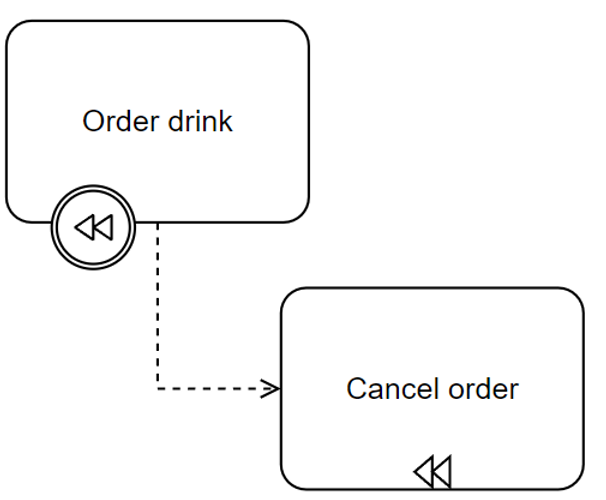
- Compensation:
- Describes a compensation task to compensate for errors that occur in the process. Often used with compensation events (which I'll cover in a later post about events).
- Example:
- Ad-hoc task marker
- Indicates one or more tasks that are not predefined or can occur at any time during the process.
- Example:
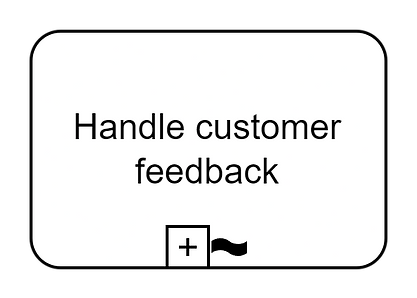
Ad-hoc task - collapsed
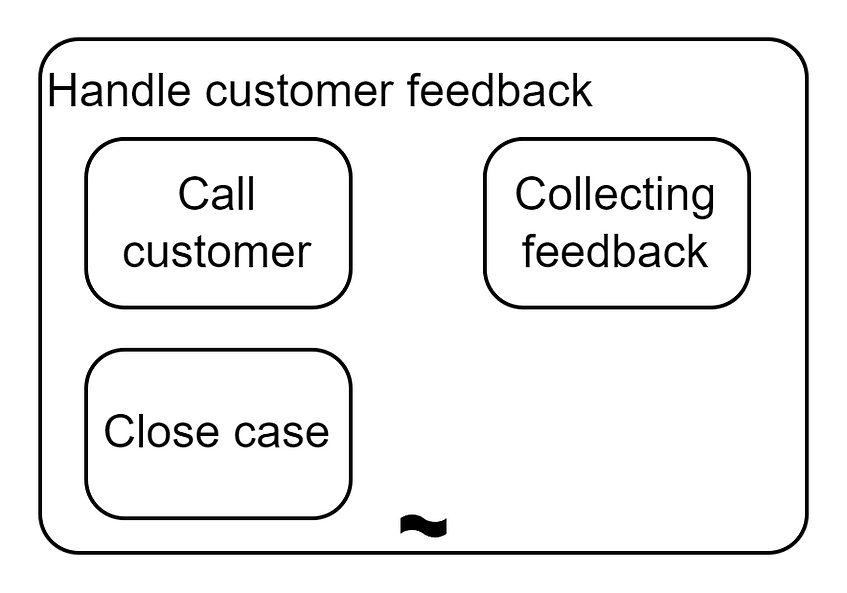
Ad-hoc task - expanded
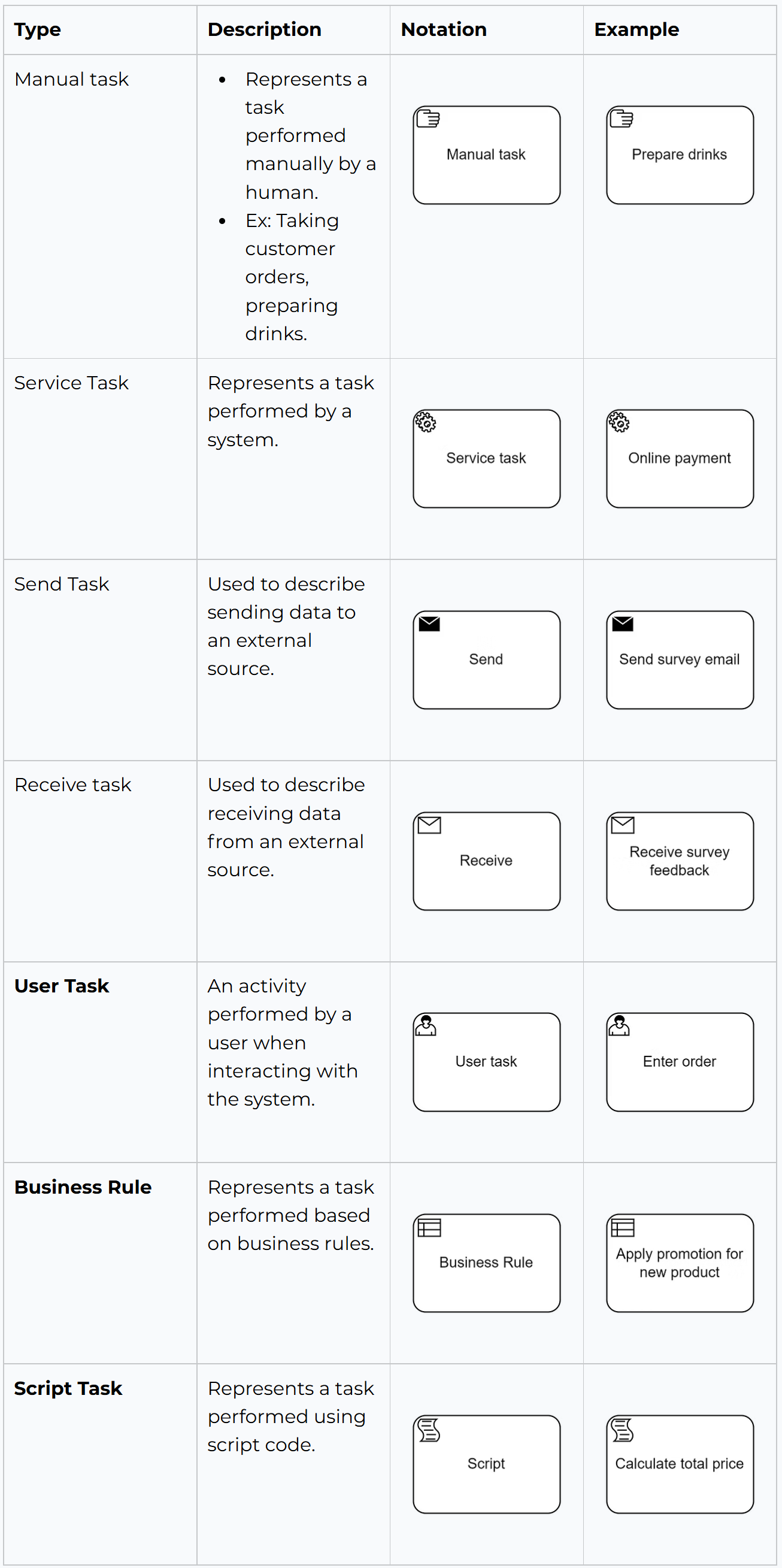
2. Task type
BPMN has various task types represented by different symbols. The task type is placed in the upper left corner of an activity.
For this table, I'll use examples based on the process of ordering food at Coffee to make it easier to understand.
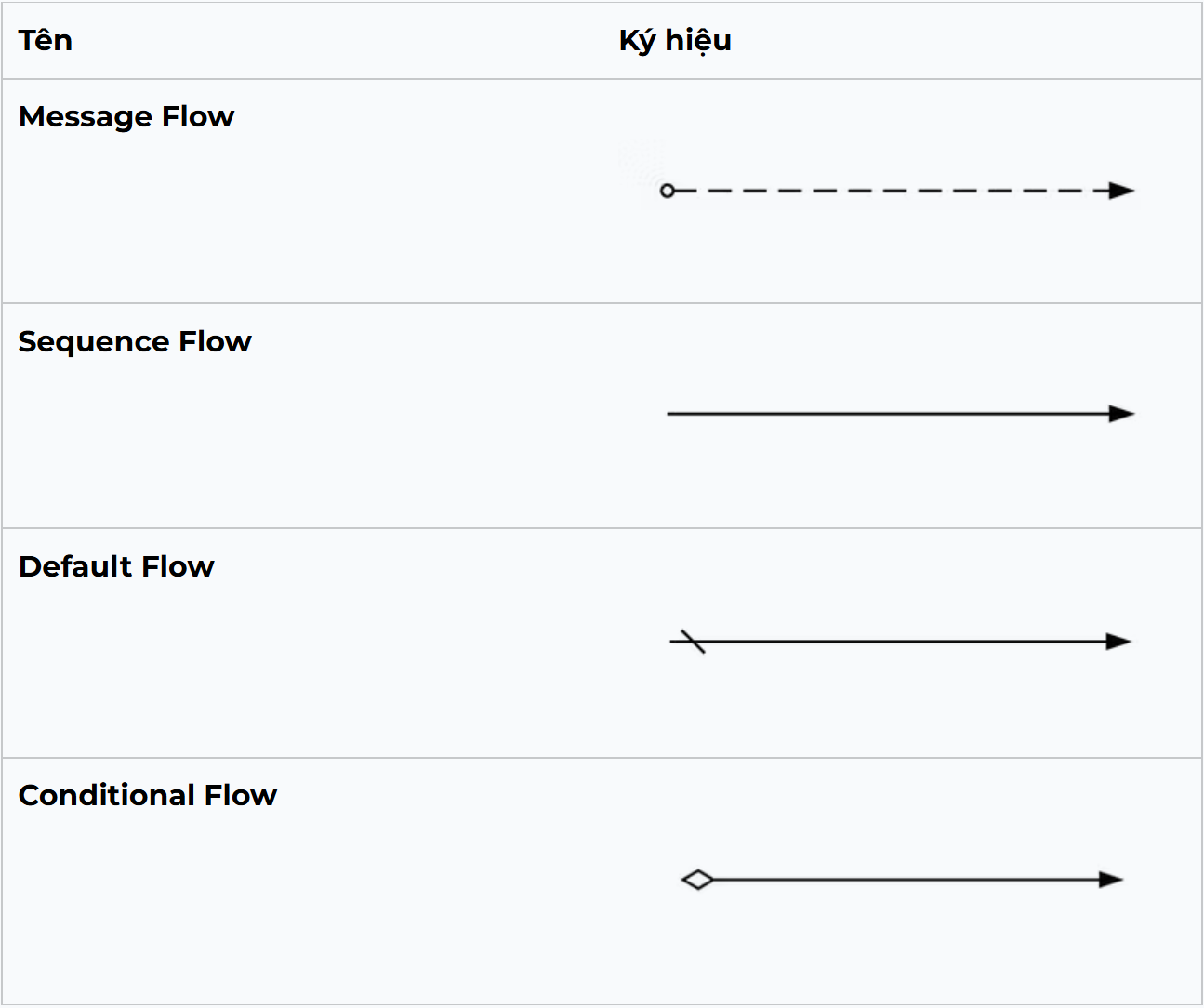
3. Flow
Essentially, there are two types of information flow in BPMN:
- Message Flow:
- Represents asynchronous communication between diagram elements.
- Example: Sending an email notification to the customer when the order is successfully delivered.
- Data flow:
- Represents the transfer of information/data between activities in the process.
- Example: Transferring customer information from the "Enter Information" activity to the "Process Order" activity.
- Includes three types:
- Sequence Flow: Shows the order of execution of activities in the process.
- Conditional Flow: Shows the flow direction based on evaluated conditions.
- Default Flow: Shows the flow direction when no conditions are met.
I'll stop here for now. Other notations in the activity category will be continued in next post.